
Figuring out that I can view a Reminders list in columns completely changes how useful the app is for me. I’m going to try it out for a week and see how it goes.
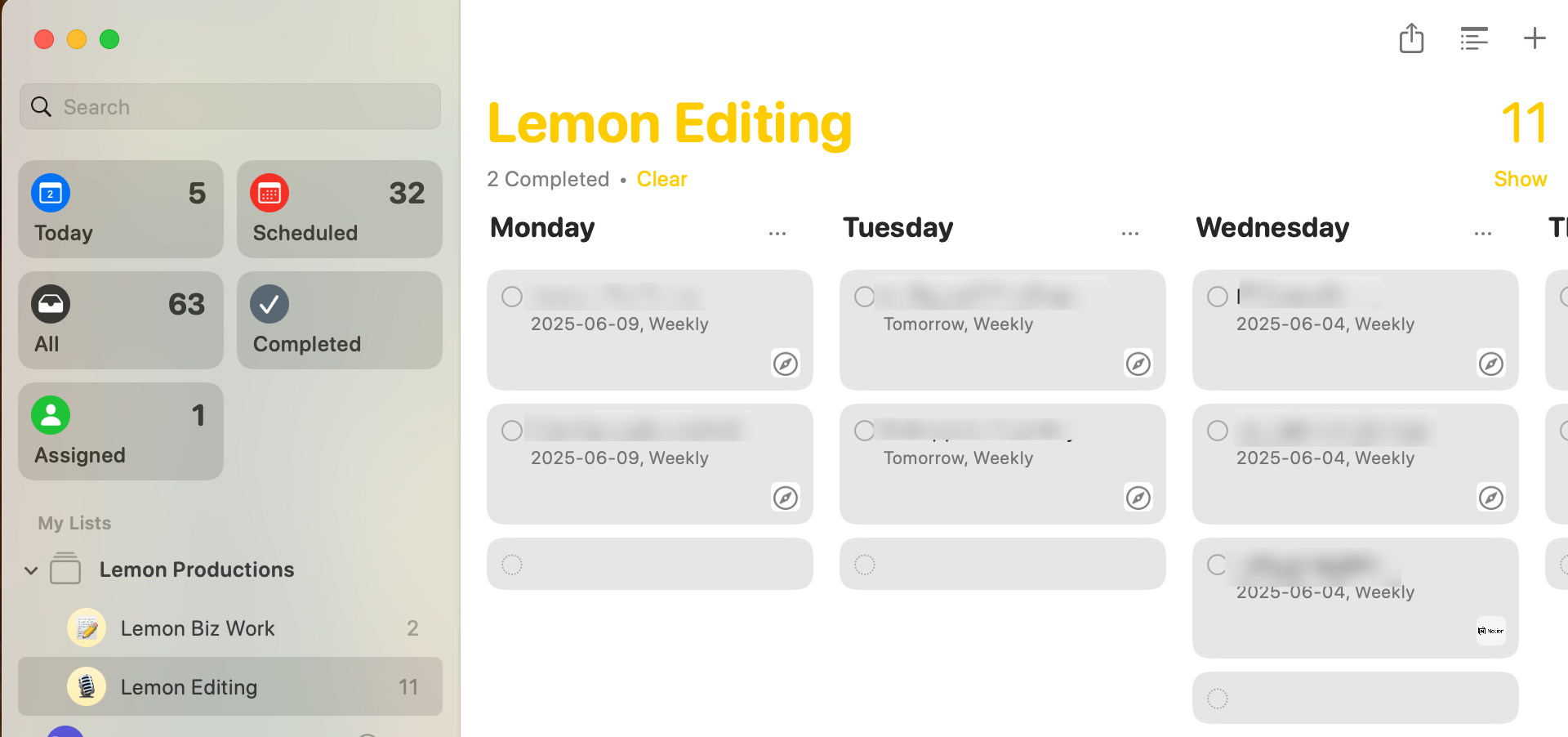

Figuring out that I can view a Reminders list in columns completely changes how useful the app is for me. I’m going to try it out for a week and see how it goes.

@iChris works best on iPad… but I use this for a few of my lists where the task takes longer than a single session to complete – so having a list of tasks I’ve started is good.
Unlike traditional kanban, you don’t need a “done” list because you mark the task as complete.
Interesting to use kanban for week planning…. 🤔
@cdevroe my initial attempt with it was actually have a category called done because I do sometimes like the satisfaction of moving something to a done column instead of just checking it and disappears.
@cdevroe and yes, this is made me think I need to expense a iPad for business reasons that’s solely have to do with being a to do list box. 😆

@iChris Serously? How did I not know about this?
Is this another case of Apple UX with hiding things?
@iChris I tried this for a bit. And it didn’t stick with me – likely because of how Reminders works across the entire platform. Checking them off works best.
In Trello, however, I keep a list of completed around.
@xcrpt They added support for categories because of the “smart” grocery list feature I think. And so this came along for the ride. But yeah! It’s such a great hidden feature.