
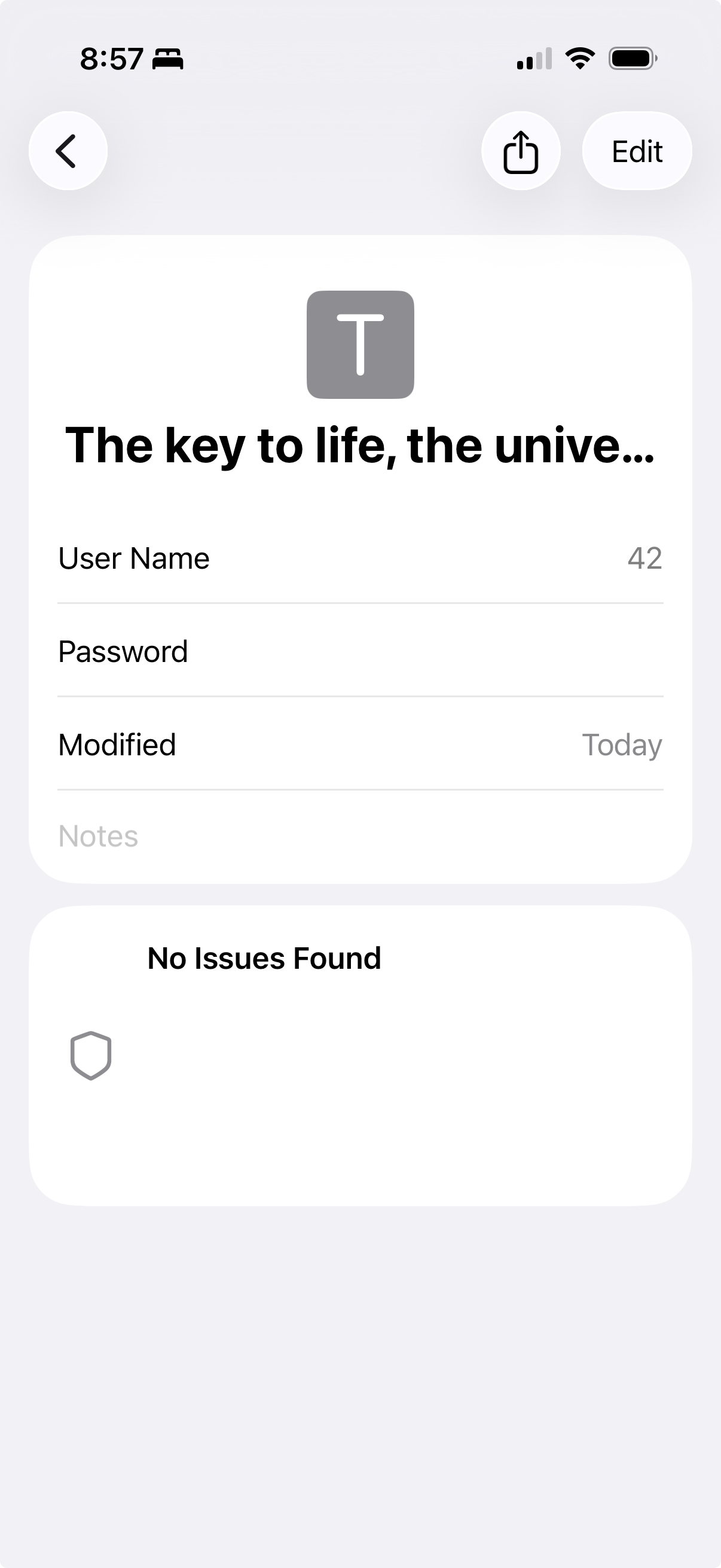
I love leaving myself little Easter eggs in personal data. Stumbled across this two year old gag today.
(And props to the Passwords app developers for removing the “ONE TWO THREE FOUR” for the password in the screenshot.)
/cc @rmondello


I love leaving myself little Easter eggs in personal data. Stumbled across this two year old gag today.
(And props to the Passwords app developers for removing the “ONE TWO THREE FOUR” for the password in the screenshot.)
/cc @rmondello

@chockenberry Funny that a password of "ONE TWO THREE FOUR" results in an analysis of "No issues found". 🙂

@chockenberry We use the same technique to remove one-time codes from screenshots, too. This approach hides information not just from screenshots, but also from screen mirroring/sharing.
And, random: if anyone ever wants to save some non-password data in Passwords, but is annoyed by having to put a password in and see a useless “Password” row, use a password of “-“. Passwords will omit the password from AutoFill and hide the “Password” row from the detail view.

@rmondello this seems like a weird and undiscoverable workaround instead of making the password field optional, no?

@Drarok @rmondello or if people are storing other things there, why not just Sherlock this app and let users select the data type? https://apps.apple.com/app/id6469049274
(Or Apple could do the right thing and acqui-hire the dev rather than Sherlock them.)

@rmondello That’s so good to know! But I just tried it (iOS 26.1) and the detail view retained the “useless” password row with the dots in it (removed in the screenshot, as you noted above).

@rmondello @Drarok Please make the password field optional. The first example use case that comes to mind is to store email addresses for accounts that only use Magic Links for sign-in. The user might not remember which email address they used or even if they have an account with a given service in the first place. I think a proper credential manager is the right place to store that information.
