jarrod
jarrod

So far, my attempt to use my ‘Publish Quote’ shortcut on the Mac has resulted in:

  • Two updated shortcuts
  • A brand-new shortcut
  • A started-then-scraped shortcut
  • A purchased domain name
  • One published quote

And now I’m inching toward releasing a huge update to ‘Publish Quote’. Stay tuned.

|
Embed
Progress spinner
jarrod
jarrod

@jarrod And, yes, @pratik, I’ve been testing the share sheet and Services menu extensively. 😁

|
Embed
Progress spinner
ericmwalk
ericmwalk

@jarrod I will be waiting…. Also new domain name 🤔

|
Embed
Progress spinner
jarrod
jarrod

@ericmwalk A replacement for an old one that I wasn’t really happy with. Nothing too exciting there, I’m afraid, and I doubt anyone will notice.

|
Embed
Progress spinner
jarrod
jarrod

@jarrod @ericmwalk @pratik It’s live! 🙂

|
Embed
Progress spinner
jarrod
jarrod

@pratik It’s always the URL that needs to be shared into the shortcut, so on macOS you’d right-click on the URL in Safari’s address bar and select it from the Services menu after copying the quote. For hyperlinks, it often tries to share the text into the Service rather than the URL, so after right-clicking on one of those I choose ShareShortcutsPublish Quote and it works much better.

As for iOS, that’s more curious. It was working fine in my tests earlier, but now I’m running into my own issue. What app were you trying to share from there?

|
Embed
Progress spinner
In reply to
jarrod
jarrod

@pratik Can you check to see if the variables in ‘Get Item from List’ and the ‘Text’ action after it are set as URLs? My phone apparently didn’t keep them set right even though the Mac did. 🙄

A computer screen displaying a ‘Publish Quote’ interface with options and workflow for a shortcut automation with cloud-background wallpaper.

A computer interface displays an automation workflow for sharing content, with various command blocks indicating steps like “Item from List” and “Expand Text.”

|
Embed
Progress spinner
jarrod
jarrod

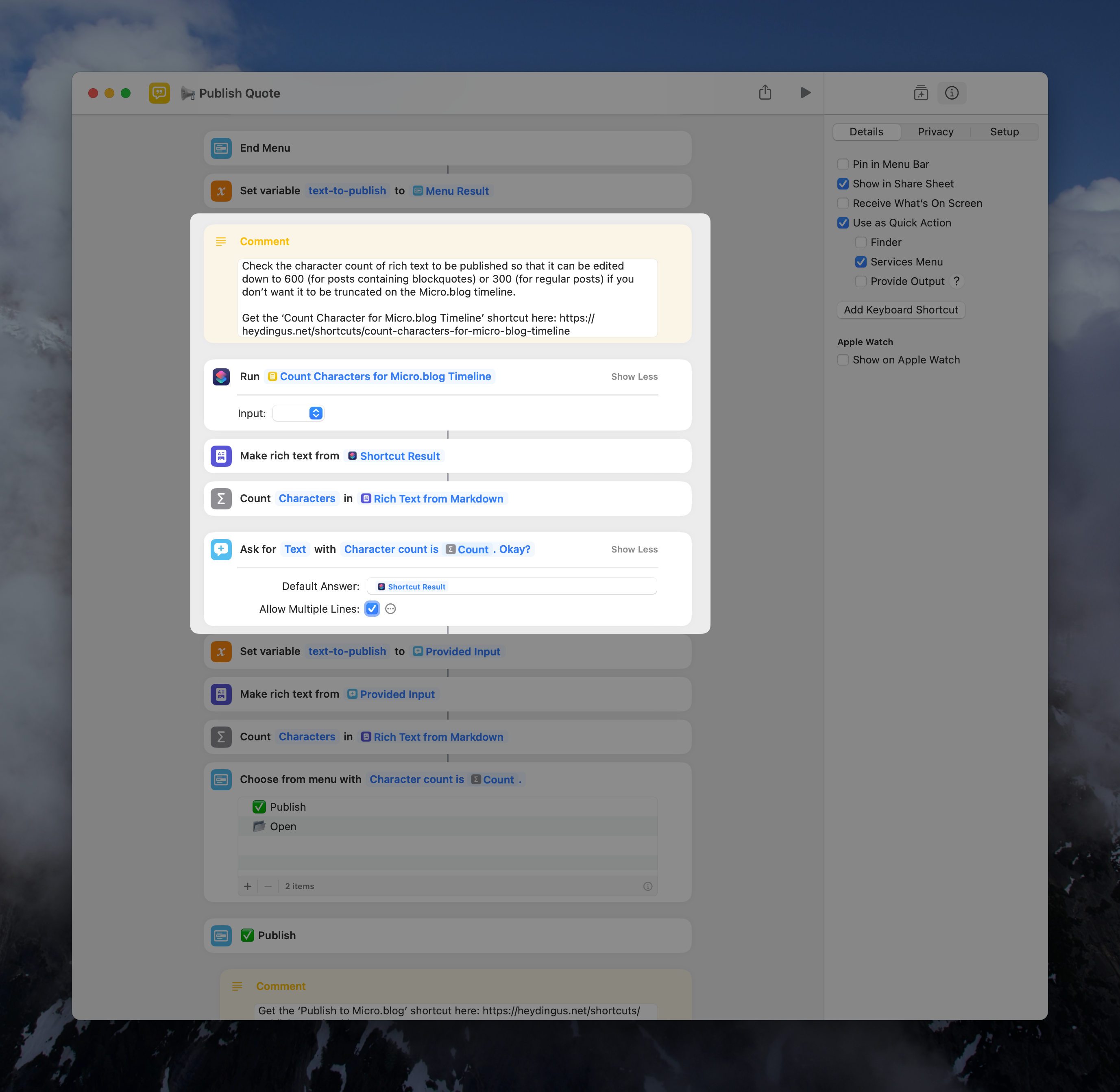
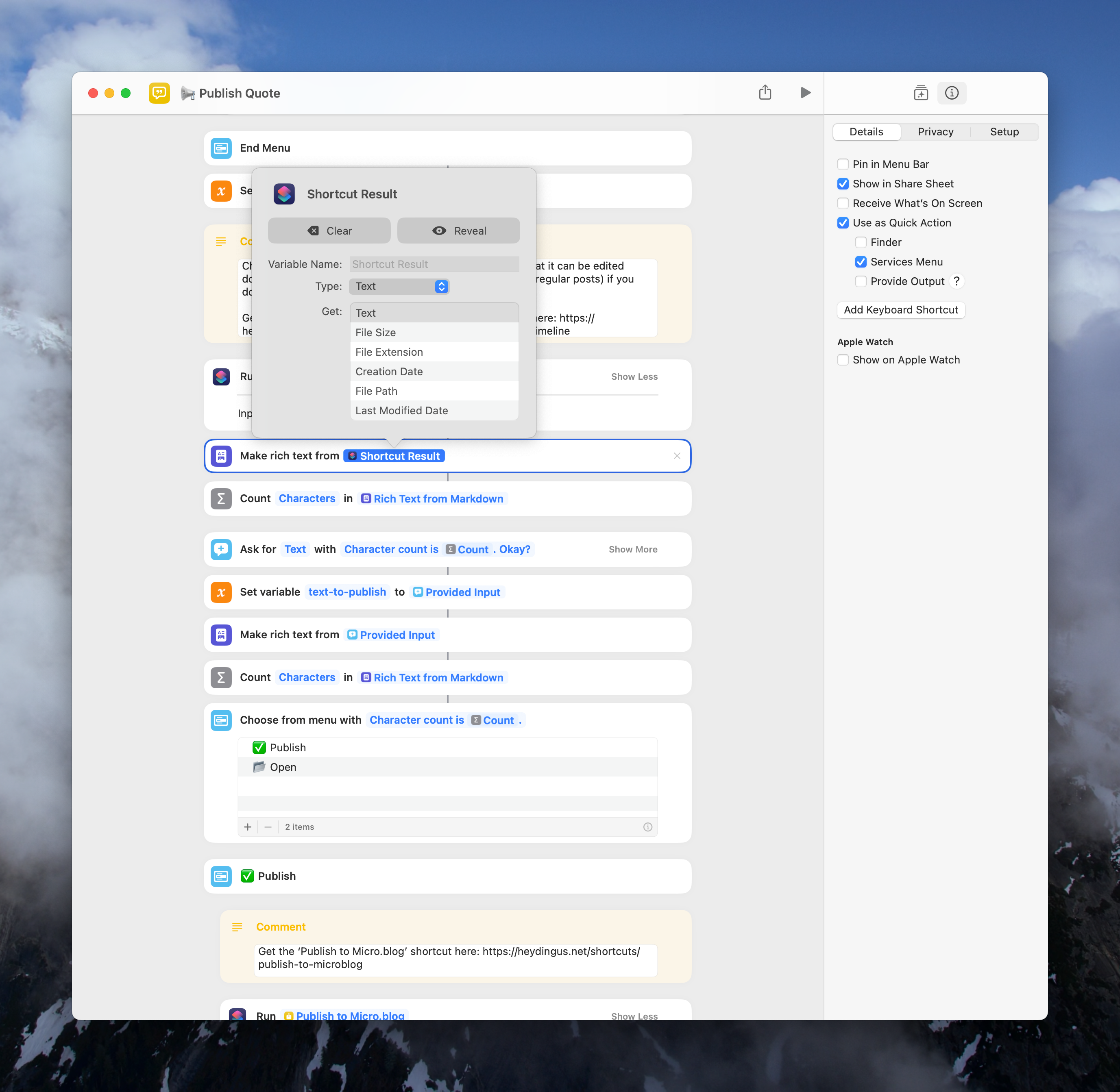
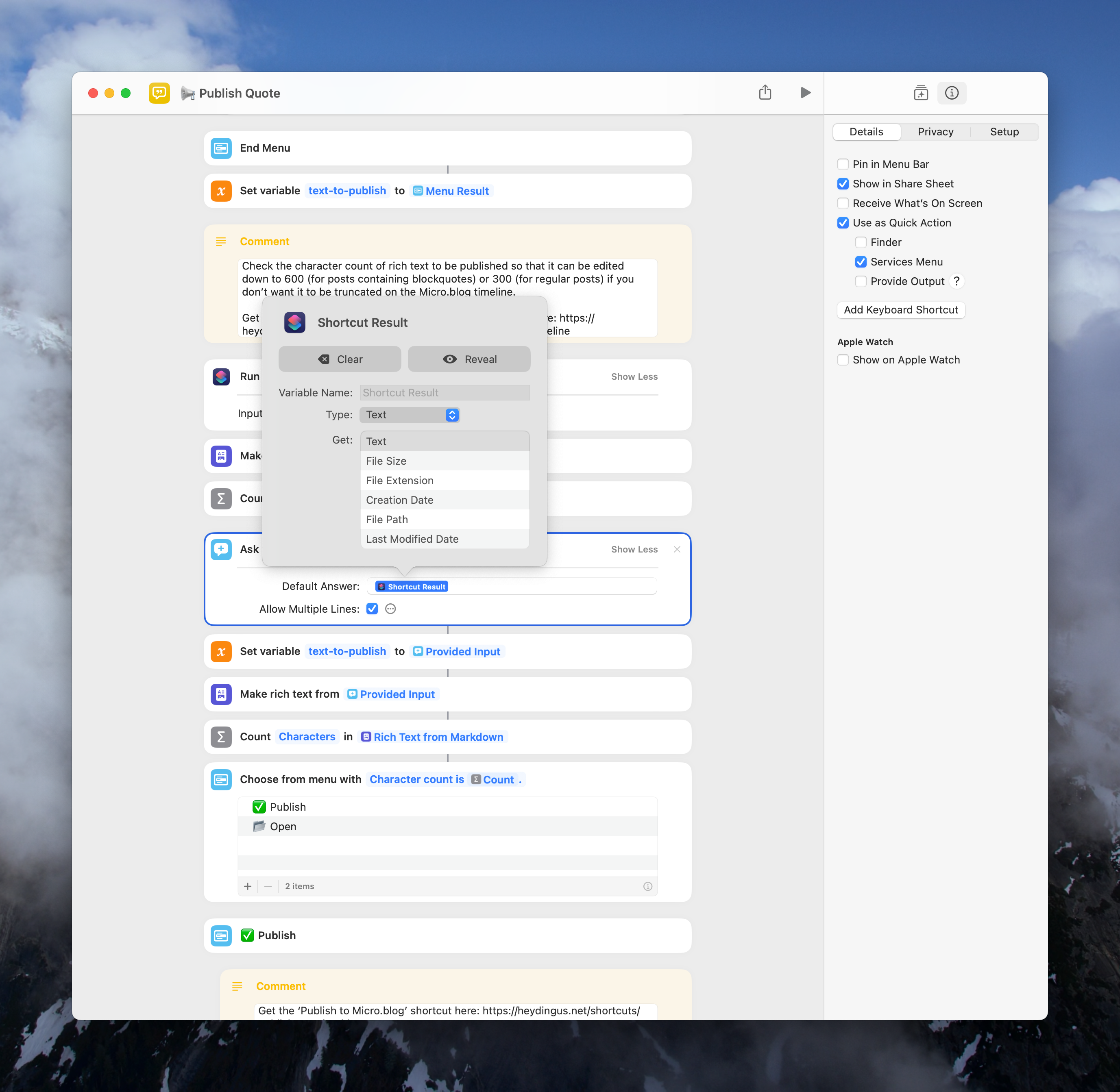
@pratik I’m also curious if the counting/publishing actions are receiving the right variables since we know Shortcuts loves to lose track of them. The counting one should be set to text-to-publish while the publishing one should be set to Provided Input.

This is a screenshot of a computer interface for a shortcut or workflow automation, with various actions and commands organized in a sequential manner, typically for text processing and publication.

A user interface displays a workflow automation for publishing text with various actions like “Count Characters” and “Publish.” It’s set against a standard computer operating system background.

|
Embed
Progress spinner
jarrod
jarrod

@pratik I do remember that one! I want to say it’s an @canion or @burk creation. Love the simplicity, though I think I’d miss the auto-titles, etc. Trying to cover edge cases turns mine into monstrosities.

|
Embed
Progress spinner
jarrod
jarrod

@pratik I think the error is coming from this area. Can you check these variables?

|
Embed
Progress spinner
jarrod
jarrod

@pratik Let’s try this version, and if things are still wonky then I think the issue may lay with the ‘Count Characters’ shortcut itself.

|
Embed
Progress spinner