@maique oooh which model did you go for - a colour one?



@maique Which one did you go for? I’m thinking of buying the Colour version. But, I’m heavily invested in my Kindle and Amazon library so it will be hard to justify this purchase.
@maique I have purchased quite a big collection of books. It is kind of a black hole if you buy kindle books. 🤣
@maique Interesting. Didn’t know Amazon lets you to do that. I will check it out. I have got Calibre app, which I think removes DRM?

@maique @ridwan Kobo is the way to go for sure, you won’t regret it. As far as getting books from other sources onto it, the options are pretty much endless. Natively, it obviously supports the Kobo store and Overdrive/Libby. But it’s pretty easy to get Kindle, CloudLibrary, etc books on there too.
Use Calibre and a couple of plugins for it. Once the plugins are installed, it’s pretty seamless. First, install noDRM. You can guess what that one does. The next one isn’t required but highly suggested. Kobo Driver allows you to convert books to Kobo’s native format. It can read other formats, but it plays much nicer with its default.
Should take about 5 minutes to get it setup, once it is…
…the process goes like this: Import a book, noDRM it (if necessary), convert to Kobo and load on the Kobo. Might seem like a lot, but it shouldn’t take more than 60 seconds from start to finish, and you can do books in bulk as well.
@maique That plugin you linked to is deprecated. Most articles reference it, but you’ll need the noDRM version instead.

@Mtt I’ve tried to get this to work for years, but to no avail. Same with my retry today. 🙁 I’m seeing something about using an old version of Kindle for Mac. Did you have to find and install that?
@jarrod You shouldn’t need Kindle for Mac at all. Just go to the Digital Content - Books page of Amazon. Next to the books you’ve purchased, you should see a “More Actions” button. Click that, then choose Download and Transfer. Just open the downloaded file in Callibre and remove the DRM. From there, you can do anything.
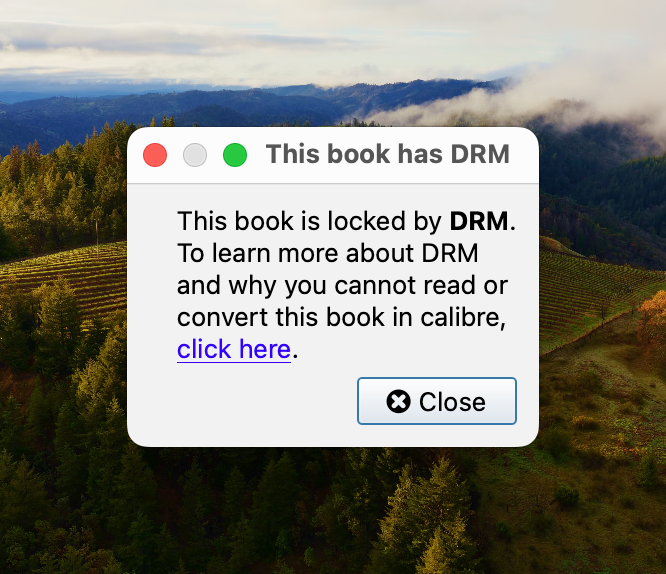
@Mtt Yeah, I keep hitting the same old dead ends. Can’t find any old version of Kindle for Mac that would download the easier files, let alone one that doesn’t look super sketchy to install and sign in with my Amazon credentials.
Makes me long for the days of ‘Thoughts on Music’ but for ebooks.
Thanks for trying to help!