jarrod
jarrod

Anyone else seeing this issue where you can no longer copy a web address from the Safari View Controller? I use this all the time, and I think it stopped working during the 18.2 beta. I hopped off the beta train, but there’s no new public update for me in settings. Still broken out there?
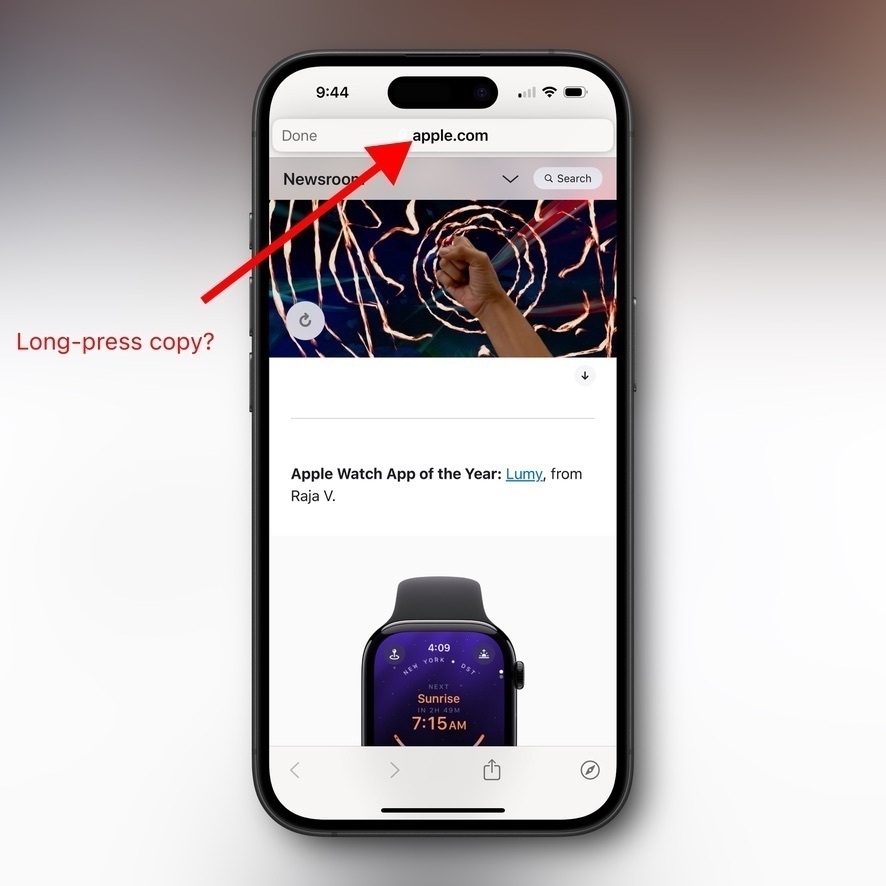

Smartphone screen displays a webpage with an arm raised amidst swirling lights. Red arrow points to the URL bar labeled “apple.com.” Text reads, “Long-press copy?” and mentions “Apple Watch App of the Year: Lumy."

|
Embed
Progress spinner
jarrod
jarrod

@jarrod I did get a new, public version of 18.2 after all. But it’s still broken for me. I tried a hard restart too. 😕

|
Embed
Progress spinner
viticci.macstories.net

@jarrod Yep. Broken for me too 😔

|
Embed
Progress spinner
n8udd.bsky.social
n8udd.bsky.social

@jarrod Working OK for me.

(On the 18.2 beta)

|
Embed
Progress spinner
goose.cam
goose.cam

@jarrod same here in 18.2 (22c150), although you can drag the url object out of the top bar. good luck finding somewhere to drop it

|
Embed
Progress spinner
cjsparno.bsky.social

@jarrod When long press (18.2) I can still long press copy

|
Embed
Progress spinner
stevenimpson.com
stevenimpson.com

@jarrod Just updated to 18.2 public and yup, not working in View Controller for me.
Can drag and drop the link somewhere but copy doesn’t appear 🥲

|
Embed
Progress spinner
sonofasailor.bsky.social

@jarrod Long-press copy working for me on 18.2 (22C152).

|
Embed
Progress spinner